
AI CRM for Contractors: Keep Every Lead, Quote & Invoice in One Place
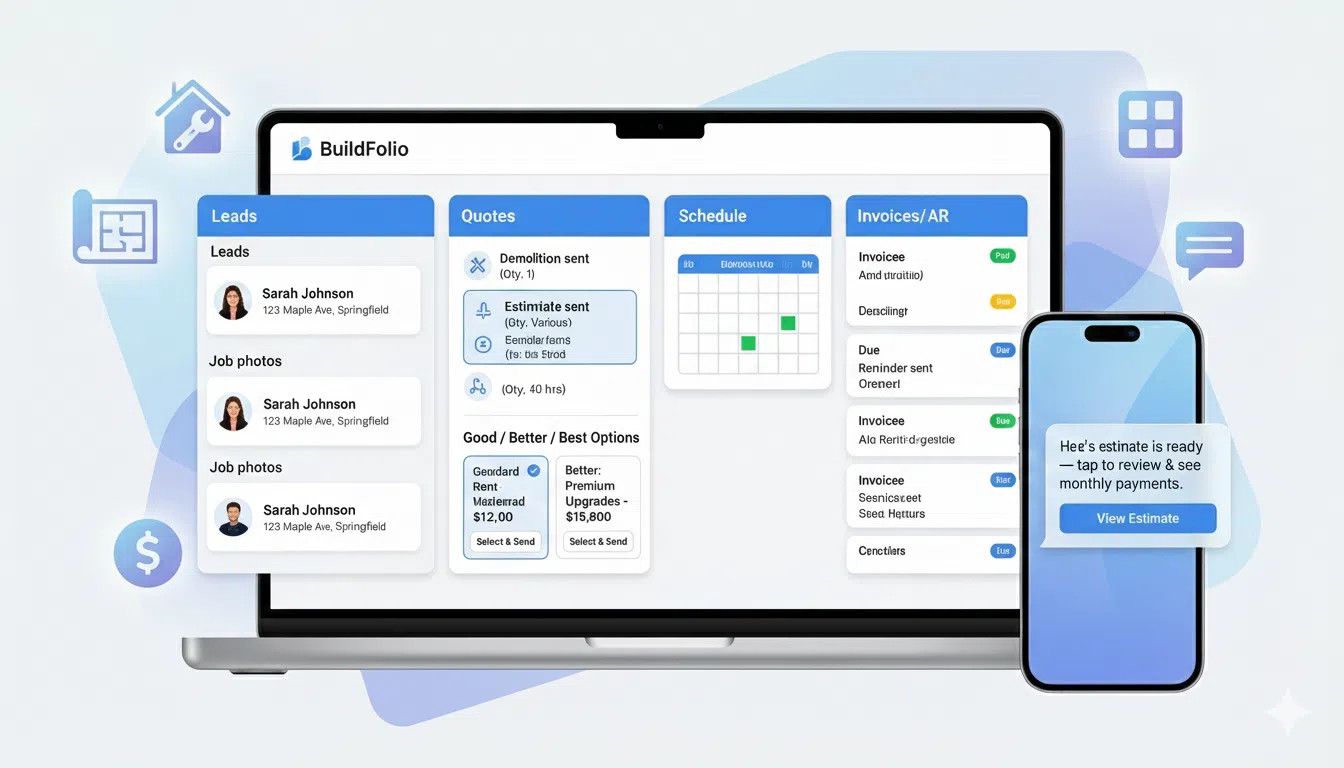
An AI CRM for contractors pulls your leads, photos, texts, quotes, and invoices into one system—and uses AI to draft replies, follow-ups, and estimates for you. Instead of juggling spreadsheets, inboxes, and paper files, your whole revenue workflow lives in a single view.
What is an AI CRM for contractors?
An AI CRM for contractors is a customer relationship management system that understands how home-service jobs actually flow: from first photo or call, to estimate, to schedule, to invoice and review. AI is used to draft messages, pull details out of photos, and keep follow-ups on track.
Instead of being “just a database,” an AI contractor CRM:
- Stores every lead, photo, quote, and invoice in one thread per job
- Uses AI to draft scopes, quotes, and SMS follow-ups from photos and context
- Drafts reminders and review requests so your office isn’t writing each one from scratch
BuildFolio acts as this AI CRM layer—focused on lead capture, AI estimates, SMS, and AR—while you can keep using your existing dispatch or calendar tools if you want.
AI CRM vs spreadsheet + inbox
- Before: Missed calls, separate form submissions, lost text threads
- After: One job hub per customer with photos, quotes, and payments together
- AI drafts the first version; your team reviews and sends
New to CRMs in general? See Free contractor CRM vs paid tools.
Key features to look for in an AI CRM for contractors
Not every CRM is built for home-service work. Here are the features that matter most when evaluating AI CRM for contractors.
Lead capture that understands jobs
Your CRM should accept photos, preferred times, and job details—not just a name and email.
AI-powered estimating & quotes
AI should help create draft scopes and line items from photos and notes—not just summarize calls.
SMS follow-ups & reminders built in
The best AI CRMs for contractors send and track texts natively—no extra SMS app needed.
AR & collections that actually run
An AI CRM should help you collect faster with reminders and clear final invoice flows.
Financing & payments in the same flow
Let customers see monthly payments and pay online without sending them to three different tools.
Job-centric analytics
Your AI CRM should report on win rate, average ticket, and days-to-cash, not just “contacts added.”
AI CRM for contractors vs generic CRMs & field apps
Many contractors start with spreadsheets or generic CRMs and then layer on AI tools. Here’s how that compares to using an AI CRM designed specifically for contractors.
| Tool type | How it works | Where it helps | Where it falls short |
|---|---|---|---|
| Generic CRM (B2B sales) | Pipeline stages, tasks, and emails built for software or agency sales. |
|
|
| Field-service app (dispatch-first) | Calendars, routes, technician assignments. Sometimes a light CRM tab. |
|
|
| Point AI tools (quotes, reviews, or SMS only) | Single-purpose tools that connect via zaps or manual exports. |
|
|
| AI CRM for contractors (BuildFolio) | Lead capture, AI estimates, SMS, AR, and reviews in one revenue workflow. |
|
|
Want to compare against specific tools? See contractor software comparisons, including BuildFolio vs Jobber and BuildFolio vs Housecall Pro.
AI CRM playbooks by trade
The right AI CRM for contractors adapts to each trade. The building blocks are the same, but the messaging and automations change slightly for roofing, HVAC, plumbing, electrical, and landscaping.
AI CRM for roofing contractors
Capture storm leads fast, collect attic/roof photos, and keep Good/Better/Best quotes and follow-ups in one thread.
AI CRM for HVAC contractors
Use AI to triage no-heat/no-cool calls, store unit photos, and keep quote + financing + follow-up texts together.
AI CRM for plumbing contractors
Collect leak and water heater photos, log emergencies with priority, and track repair vs. replace quotes in one hub.
AI CRM for landscapers & exterior contractors
Turn inspiration photos into scoped projects, keep design consults organized, and revive old leads each season.
How to roll out an AI CRM in your contracting business
You don’t need to switch everything overnight. The smoothest AI CRM rollouts start small and expand.
Step 1: Centralize leads
Add a photo-friendly lead form and missed-call text-back so every inquiry lands in your AI CRM.
- Route web forms and calls into one job hub
- Stop quoting from your inbox + camera roll
Step 2: Let AI draft (you approve)
Turn on AI estimating for common jobs. Have your team review and tweak before sending.
- Start with AI Photo-to-Quote on 1–2 job types
- Use templates for line items and terms
Step 3: Systematize follow-ups & AR
Once leads and quotes are flowing, add SMS follow-up templates and invoice reminders to plug leaks. Automatic missed-call text-back handles the instant reply; multi-day follow-ups are templates you send yourself.
- Use a 14-day SMS follow-up template set
- Turn on invoice reminders for past-due jobs
Related guides on AI contractor automation
Measure the right metrics
With an AI CRM for contractors, track lead response time, win rate, average ticket, and days to get paid as your main scorecard.
Keep humans in control
AI should draft and remind; your team should approve and adjust. Especially in the first 30–60 days, treat AI like a junior assistant that needs review.
Simplify your stack (over time)
As your AI CRM replaces manual spreadsheets, extra SMS tools, or bolt-on widgets, consolidate. Fewer logins means fewer dropped balls.
Ready to see how an AI CRM can boost your profits?
Get your free Profit Score and see where you’re leaving money on the table.
Get Your Free Profit ScoreAI CRM for contractors: FAQ
Do I have to replace my existing CRM or field-service app?
Not necessarily. Many teams run BuildFolio as an AI CRM for contractors alongside tools like Jobber, Housecall Pro, or ServiceTitan. BuildFolio focuses on lead capture, AI estimating, SMS, and AR; your existing tools can keep running dispatch and detailed field ops.
Is an AI CRM only for bigger contractor teams?
No. Smaller teams often see the biggest time savings because they don’t have extra office staff. An AI CRM can handle intake, quoting drafts, and reminders so owners stay focused on sales and production.
How fast can I see results from an AI CRM?
Most contractors see impact as soon as they centralize leads and turn on missed-call text-back and start sending invoice reminders from templates. AI estimating usually saves hours per week once you’re sending a steady volume of quotes.
Will AI send bad quotes or off-brand messages?
In BuildFolio, AI drafts first and humans approve. You can lock in standard line items, terms, and message templates so AI stays on-brand. Over time, you can trust it more as you see good results.
How do I start with BuildFolio as an AI CRM for contractors?
Create a free BuildFolio account, add the lead capture + financing widgets to your site, and start routing new leads into a single job hub. Then layer on AI Photo-to-Quote, SMS automation, and invoice reminders one step at a time.
Turn your inbox and sticky notes into an AI CRM for contractors.
Capture better leads, draft quotes faster, and get paid sooner—with one workflow instead of ten tools.