
Emergency HVAC Leads — Capture No-Heat Calls with Photos, Financing & SMS
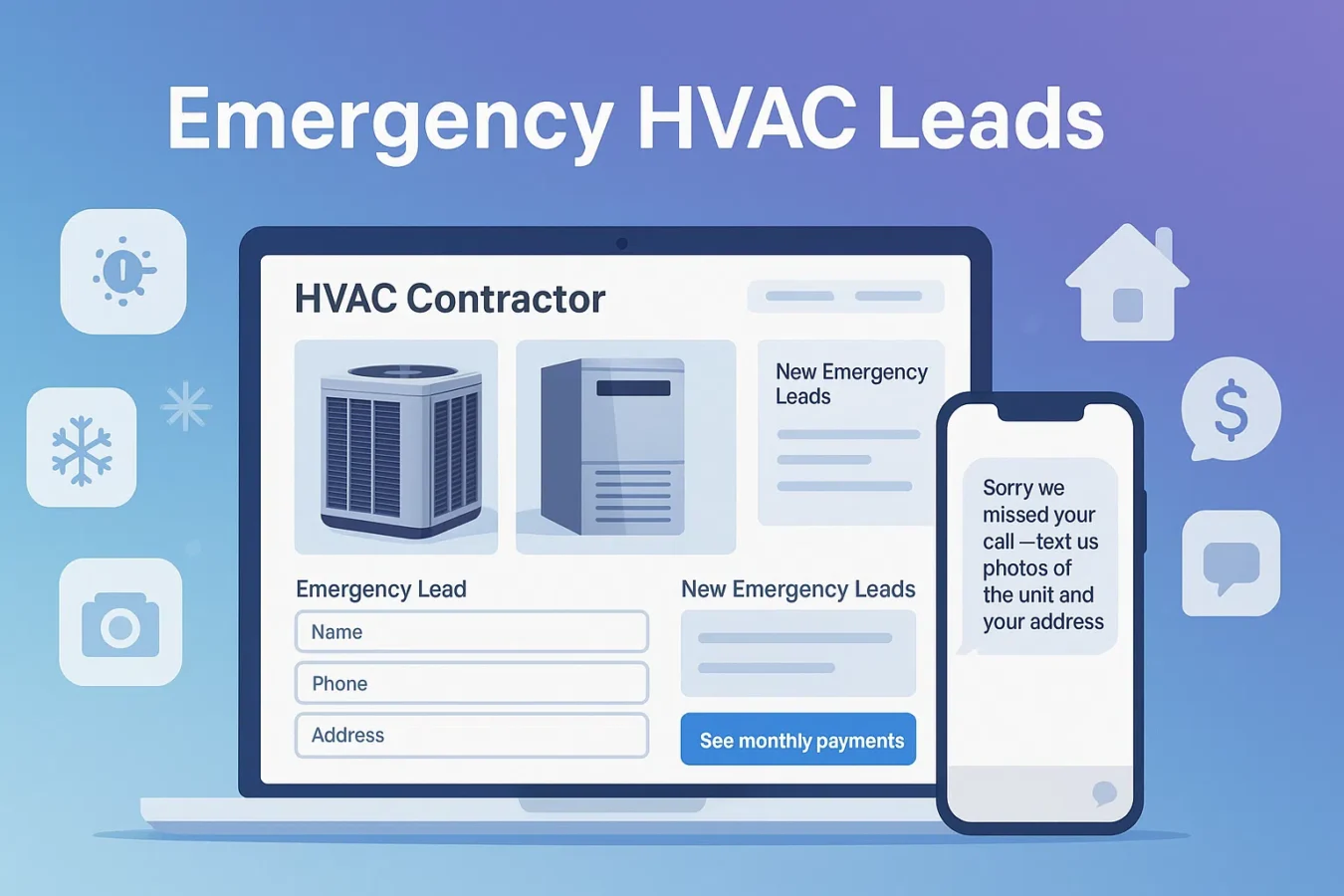
When the furnace dies or there’s no cool air, homeowners are searching right now. This guide shows you how to turn those emergency HVAC leads into booked jobs using photo intake, a “See monthly payments” button, and a manual missed-call follow-up plan alongside BuildFolio.
Why emergency HVAC leads are different
Regular HVAC leads might shop around for weeks. Emergency HVAC leads — no heat, no cool, frozen lines, rental properties — want whoever can respond fastest and offer flexible payments.
- Speed beats brand. If you answer with a useful text in 30–60 seconds, you usually win the job.
- Photos = better triage. Unit label and install photos let you quote faster and send the right tech.
- Monthly payments close big tickets. Showing “as low as $/mo” turns $9,800 replacements into a yes.
Your goal: make it dead simple for “no heat / no cool” homeowners to send photos, see payments, and hear back by text.
Step 1: Fix your website for emergency HVAC leads
Most HVAC sites bury the contact form. For emergency HVAC leads, treat your site like a crisis intake page.
Above-the-fold hero
- Headline like: “No heat? No cool air?”
- BuildFolio lead capture widget with photo upload + address
- “See monthly payments” button from your HVAC financing widget
Form fields that actually convert
- Name + mobile number (required)
- Address (for dispatch & “on my way” texts)
- Photo upload: unit label + thermostat + equipment area
If you’re not sure how to add the widget, see Free lead capture widget for contractors.
Step 2: Missed-call text-back scripts for emergency HVAC leads
Many no-heat calls go straight to voicemail. Use a manual missed-call text-back template to turn missed calls into a text thread with photos and address.
Hi {{first_name}} — {{company}} here. Sorry we missed your call.
Text photos of the unit label + thermostat and your address.
We’ll text back with options and monthly payments.
Thanks for calling {{company}}.
Reply with photos of the inside & outside units + your address.
Fastest path is text — then we’ll send options and time windows.
You reached {{company}} HVAC.
No heat / no cool? Text unit photos + your address here.
Preview monthly payments (no hard pull): {{financing_link}}
Copy these into your own texting workflow; see the missed-call follow-up guide or your existing phone system. For more options, see Missed-call text-back templates.
Step 3: 14-day follow-up for emergency HVAC leads
Not every emergency HVAC lead decides on Day 0. A simple follow-up template set saves quotes that go quiet—you send each message yourself, and send the Day 0 missed-call reply yourself.
Day 0 (auto):
“Thanks for reaching out to {{company}}. Text photos of the unit + your address
for fastest options and monthly payments.”

Day 1:
“Still dealing with no heat / no cool? We can estimate from photos and
show monthly payment options: {{financing_link}}”

Day 3:
“Quick check-in from {{company}} — want us to hold a slot this week?
Reply 1 for ‘still need help’ or 2 for ‘got it handled’.”

Day 7:
“We still have your HVAC photos and estimate ready. Want to move forward
with repair/replacement on monthly payments?”

Day 14:
“We’ll close your file today, but if you still need HVAC help just text back
and we’ll reopen your estimate.”
BuildFolio Pro includes a prebuilt 14-day SMS follow-up template set you can adapt for HVAC and send yourself.
Step 4: Use HVAC financing options to close bigger jobs
A $9,000–$18,000 replacement is a shock. Most households aren’t ready to write that check, especially on a surprise “no heat” call. That’s why the top HVAC companies lead with payments, not price.
On your website
- “See monthly payments” button near your hero CTA
- Financing button repeated on your “Emergency HVAC” page
- “Repair vs replace” section linking to financing options
Inside your quotes
- Show total price and “as low as $/mo” on each option
- Include a link to financing in your SMS quote message
- Remind past-due invoices about payment options, not just balances
For a deeper dive, see Contractor financing options and HVAC financing widget.
How to set this up in BuildFolio (Free → Professional)
Start Free: capture emergency HVAC leads
- Sign up: BuildFolio Free
- Paste the lead capture widget on your Emergency HVAC page
- Turn on the HVAC financing widget for “See monthly payments”
Upgrade to Pro: automate follow-up
- Prepare manual missed-call replies and customize follow-up templates
- Use AI Photo-to-Quote to draft emergency estimates from photos
- Add 14-day SMS follow-up templates and review requests to every job
FAQ: emergency HVAC leads
What counts as an “emergency HVAC lead”?
Anything that feels urgent to the homeowner: no heat, no cool air, burning smell, water around the furnace, frozen lines, or tenants without AC. These leads choose whoever responds first with a clear path forward.
Can I use these scripts without BuildFolio?
Yes. You can paste the emergency HVAC lead scripts into your existing phone system or CRM. BuildFolio just makes it easier by pairing photo intake and financing with AI quote drafts; use your own texting workflow for missed calls.
Will this replace my existing HVAC software?
Not necessarily. Many contractors use BuildFolio as a front-end capture and automation layer on top of Jobber, Housecall Pro, or ServiceTitan. See the contractor software comparison.
How fast can I get this live?
Most shops can add the lead-capture widget and prepare manual missed-call replies. Start with your Emergency HVAC page, then roll the same pattern to AC install, furnace replacement, and maintenance plan pages.
Help turn emergency HVAC leads into booked jobs.
Capture photos, show monthly payments, and prepare a prompt manual reply to missed calls. Start free; upgrade for AI quoting and ready-made follow-up templates.