
Price Book Manager for Contractors
Price Book Manager standardizes your items, labor rates, markups, and taxes—so AI Photo-to-Quote, change orders, and invoices match your pricing every time. Start free, then add QuickBooks Online sync on Pro.
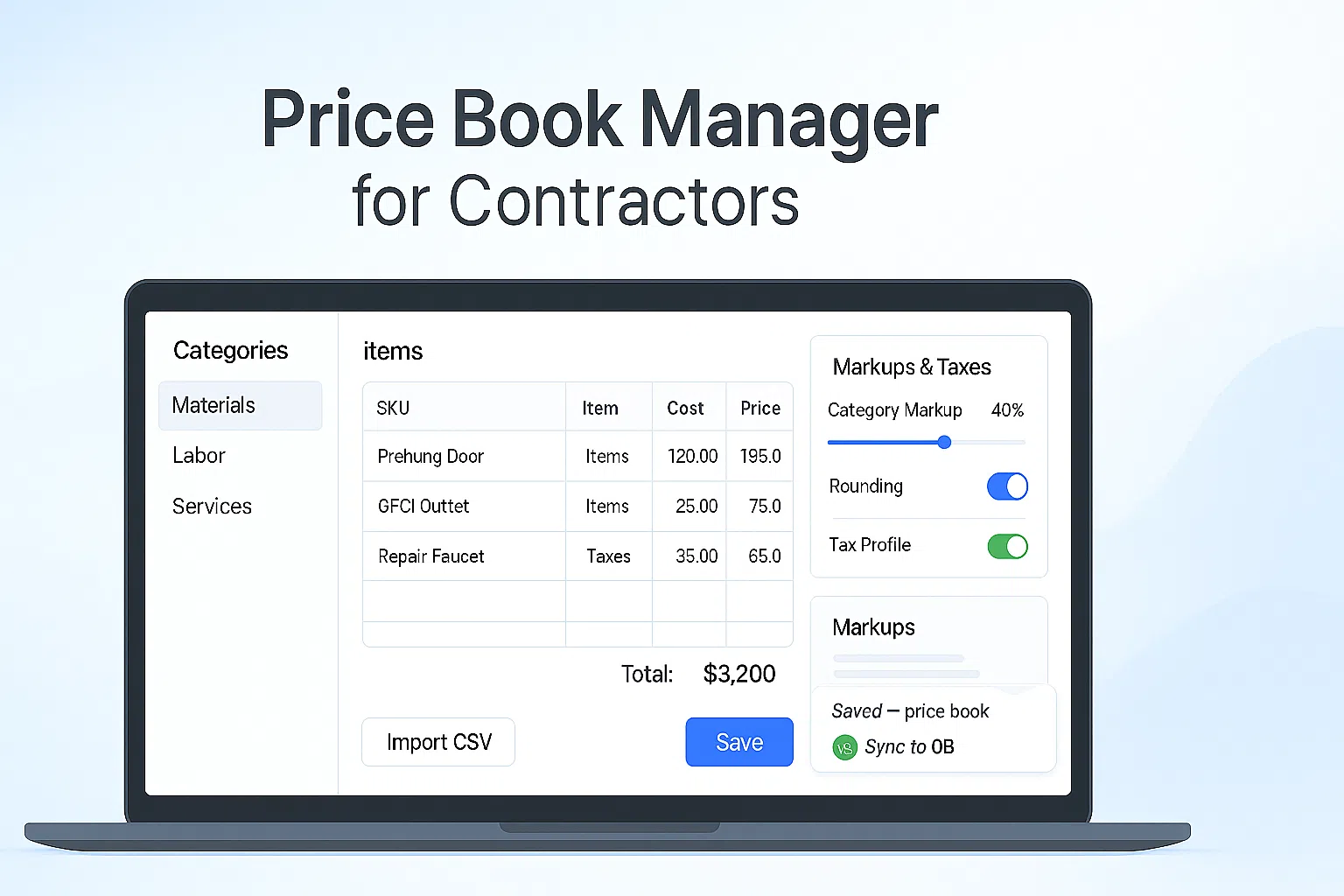
What is a price book manager?
A price book manager keeps your items, labor, and markups consistent across quotes, change orders, and invoices. Instead of re-typing prices—or guessing—your team picks from one source of truth and lets automation handle the math.
- Import CSV or paste spreadsheet rows in minutes
- Configure unit, cost, price, tax, and category per item
- Set global or category markups and rounding rules
How the Price Book Manager works in BuildFolio
Items, labor & taxes
Create categories, add items with units, and define labor rates. Set default taxes and margins once.
- Category-level markups
- Regional tax profiles
AI Photo-to-Quote uses your book
When you run AI Photo-to-Quote, proposed lines reference your items and rates for consistent pricing.
- Good/Better/Best options
- Bundles for common jobs
Accounting stays in step
On Professional, push items and invoices to QuickBooks Online so books and jobs match.
- Fewer discrepancies at month-end
- Cleaner audit trail
Free vs Pro
Free — get standardized
- Categories, items, and labor rates
- CSV import/export
- Global markup & rounding
Perfect for getting your pricing house in order.
Pro — automate pricing
- Category-level margins & tax profiles
- Good/Better/Best + bundles
- QuickBooks Online sync
Turn on when you want speed and consistency across the team.
Price book examples by trade
Pre-built categories and example items to jump-start your price book.
Plumbing
Toilet install, leak repair, water heater, drain clearing—units, labor, and parts ready to go.
Plumbing estimate template →HVAC
Diagnostics, capacitor, refrigerant, full system replace—tiered equipment bundles included.
HVAC estimate template →Roofing
Squares, underlayment, flashing, disposal—plus storm inspection bundles.
Roofing estimate template →Set up your price book in 5 steps
- Create categories. Materials, labor, and services tailored to your trade.
- Import your data. Upload CSV or paste; map columns for unit, cost, price, tax.
- Define markups. Set global or category margins; choose rounding rules.
- Add options & bundles. Create Good/Better/Best variants and common job bundles.
- Connect accounting. Enable QuickBooks Online sync on Pro.
Want examples of how a good price book reads on quotes? See AI Photo-to-Quote and Change Order Software.
FAQ
Can different branches use different markups?
Yes. Use multiple tax/markup profiles and assign them by branch, region, or job type.
Do changes to the price book update old quotes?
Existing quotes keep their original pricing. New drafts use the latest book so your history remains accurate.
Can techs access the price book in the field?
Yes. From the mobile dashboard, techs can search items when building quotes or change orders.
Does the price book support taxes and fees?
Absolutely. Configure per-item taxes, environmental fees, and surcharge rules where applicable.
One source of truth for pricing—every quote, change, and invoice.
Import your items, set clean margins, and let AI draft consistent quotes and invoices. Sync accounting when you’re ready.
Are you a homeowner? Try our free tools: