
Photo-to-Invoice for Contractors
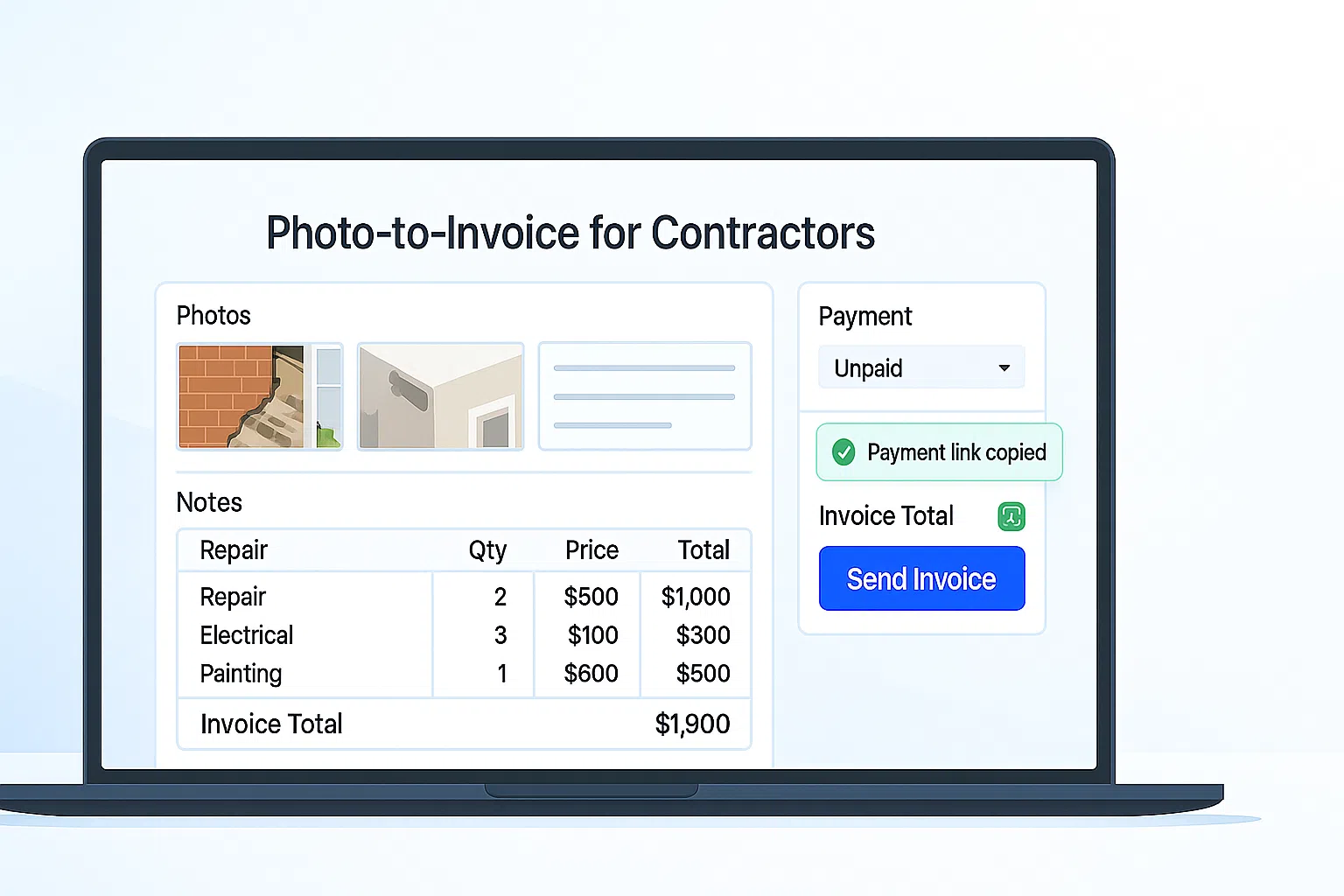
Photo-to-Invoice turns job photos into a priced invoice in minutes. Detect line items from pictures, tweak with your price book, and send a payment link by email (and SMS on Pro). Pair it with AI Photo-to-Quote, invoice reminders, and QuickBooks Online integration.
Watch AI Photo-to-Quote build a quote in 60 seconds
See how BuildFolio turns job photos and a short description into a Good/Better/Best estimate, scope of work, and ready-to-send estimate in under a minute.
What is Photo-to-Invoice?
Photo-to-Invoice converts job photos into a clean, professional invoice. Instead of manual typing and guesswork, BuildFolio proposes line items, quantities, and notes based on your price book—so you can approve, send, and get paid faster.
- Detect materials and tasks from photos; edit with price book lookups and markups.
- Email payment links immediately; add SMS on Pro for faster collection.
- Optional QuickBooks Online sync for invoices and payments.
How Photo-to-Invoice works in BuildFolio
Add photos from field or intake
Upload from your phone or pull images from the lead capture widget or job thread.
- Works from the mobile dashboard
- Supports multiple photos per invoice
Auto-proposed line items
BuildFolio suggests items, quantities, and notes. You review, adjust pricing, and add exclusions or warranty language.
- Pull from your price book
- Good/Better/Best options (optional)
Send & get paid
Send by email (and SMS on Pro). Add invoice reminders to chase unpaid balances, then sync to accounting.
- Card/ACH with payment receipt
- QuickBooks Online sync (Professional)
Free vs Pro
Free — simple invoicing
- Manual invoice creation
- Email payment link
- Basic receipts
Great for light volume and testing your workflow.
Pro — Photo-to-Invoice + automations
- Photo-to-Invoice detection
- SMS delivery & reminders
- QuickBooks Online sync
Upgrade when you want speed and fewer unpaid balances.
Examples by trade
Common photo-driven invoices across home services.
Plumbing
Leak repair photos → parts & labor lines → email payment link → paid receipt.
Plumbing estimate template →HVAC
Condenser photos → refrigerant & capacitor lines → SMS invoice → QBO sync.
HVAC estimate template →Roofing
Shingle damage photos → squares & disposal → invoice reminders until paid.
Roofing estimate template →Create your first Photo-to-Invoice
- Open the job. Tap New Invoice → From Photos and add images from your phone or intake.
- Review the draft. Edit detected items, apply price book rates, and add terms/exclusions.
- Send for payment. Email the invoice (and SMS if enabled) with a secure payment link.
- Automate reminders. Enable Day 3/7/14/30 nudges in Invoice Reminders.
- Sync to accounting. On Professional, push to QuickBooks Online.
Need a starting layout? Grab our contractor invoice templates.
FAQ
Can customers attach additional photos when paying?
Yes. Customers can reply to the invoice email or upload new photos via a secure link; updates are logged to the job.
What payment methods are supported?
Cards and ACH. Receipts are sent automatically and stored with the invoice.
Does Photo-to-Invoice support taxes and surcharges?
Yes. Configure taxes/fees per job or account. Totals are recalculated instantly.
Can I convert an approved quote into a Photo-to-Invoice?
Yes. From AI Photo-to-Quote, click Create Invoice to carry over selected items and photos.
Create invoices from photos—collect payment faster.
Turn today’s job photos into a clean invoice, send a payment link, and keep accounting in sync. Less typing, more collecting.
Are you a homeowner? Try our free tools: