
Job Hub for Contractors — All Your Work in One Place
Job Hub for contractors pulls every lead, photo, quote, change order, invoice, and reminder into a single job timeline. See the full story for each customer, plug in SMS automation, AI quoting, and Smart Invoice Reminders, and keep jobs moving without digging through texts or spreadsheets. Start free, then upgrade to Pro for $39/mo when you want automation.
What is Job Hub for contractors?
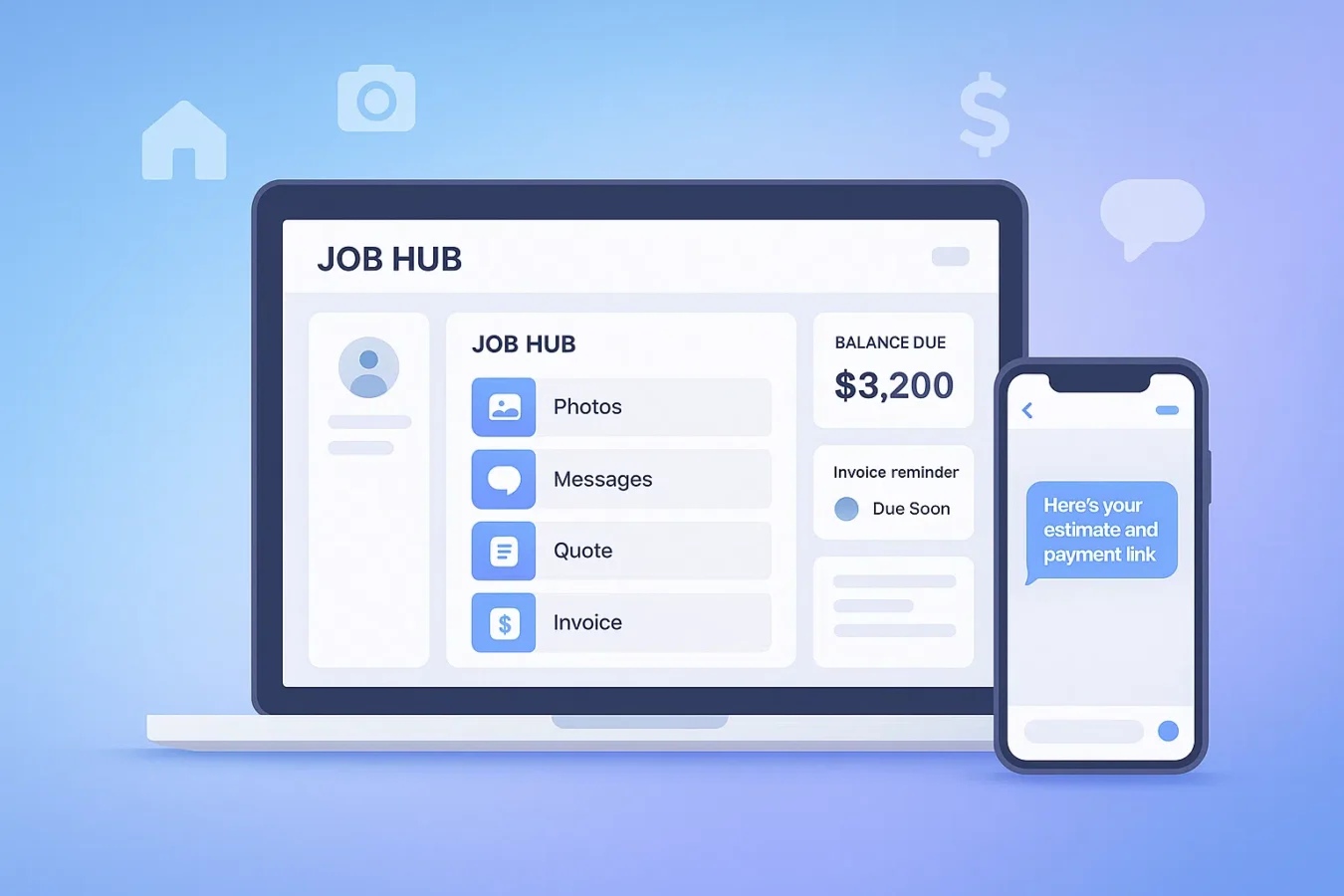
Job Hub is your central workspace for each job — from first photo all the way through the final payment. Instead of scattered texts, email threads, and PDFs, BuildFolio creates one shared timeline that shows:
- Lead details & photos captured from your lead capture widget.
- Quotes & AI-generated estimates from AI Photo-to-Quote and estimates.
- Change orders, invoices & reminders from Smart Invoice Reminders.
- Messages & SMS sequences from SMS automation and missed-call text-back.
Think of Job Hub as a trade-specific CRM page for each customer — but tuned for roofing, HVAC, plumbing, landscaping, and electrical work instead of generic sales pipelines.
How Job Hub works with your existing website & phone
BuildFolio doesn’t replace your website or phone number. Job Hub connects them so every call, form fill, and photo lands in the right place automatically.
A homeowner submits your lead capture form, uploads photos, or taps your financing widget to see monthly payments. Job Hub creates a new job with contact info, photos, and financing interest.
Use AI Photo-to-Quote or manual pricing to build an estimate. The quote, revisions, and approvals all stay attached to the job.
As work changes, Smart Change-Order Copilot (part of the AI quoting workflow) creates incremental quotes and updates the job’s financials without spreadsheets.
Use 1-Click Final Invoice and Smart Invoice Reminders to send invoices, payment links, and Day 3/7/14/30 follow-ups — all visible inside the same Job Hub timeline.
One workflow: Capture → Quote → Job → Collect
Capture & qualify
Start with the lead capture widget and contractor financing options: let homeowners upload photos, describe the job, and preview monthly payments.
Every submission opens a Job Hub record with photos, contact details, and events. You can see which channels (homepage, financing button, service pages) are generating the best work.
Quote, execute & collect
Use AI contractor quotes for photo-based estimates, run jobs out of Job Hub, then send invoices and Smart Invoice Reminders when work wraps.
Missed-call text-back and SMS automation plug into the same timeline, so your team always sees the full conversation before they pick up the phone.
Free vs Pro: how Job Hub fits
Free plan — Job Hub as your starter CRM
- Job Hub for every lead with contact details, notes, and photos (50 uploads/month).
- Lead capture + financing widgets feeding directly into jobs.
- Manual follow-ups (call, text, email) straight from each job record.
Pro — Job Hub + automation ($39/mo)
- SMS automation and missed-call text-back visible and configurable per job.
- AI Photo-to-Quote, Smart Change-Order Copilot, and 1-Click Final Invoice all integrated into Job Hub.
- Smart Invoice Reminders, AR analytics, and (when enabled) QuickBooks sync.
Expected impact from using Job Hub
Numbers are directional based on contractor anecdotes and general small-business research about workflow tools and response times from sources like the U.S. Small Business Administration. Results will vary by trade, season, and lead volume.
What contractors say about Job Hub
“Before BuildFolio, I had quotes in email, photos in my camera roll, and invoices in QuickBooks. Now everything’s in one place. I stopped losing track of change orders.”
— Tony M., Roofing Contractor, Dallas TX
(Q4 2025)
“My dispatcher can see exactly what’s happening on each job without calling me. Photos, notes, status — it’s all there. We’re not playing phone tag anymore.”
— Rachel S., HVAC Business Owner, Phoenix AZ
(Q4 2025)
“I used to forget to follow up on quotes. Now Job Hub shows me every lead that’s waiting, and the SMS reminders go out automatically. Closed two jobs last week I would’ve lost.”
— Marcus D., Plumber, Atlanta GA
(Q4 2025)
*Results reflect individual contractor experiences. Your results may vary based on market, trade, and usage.
Job Hub for contractors — FAQs
Is Job Hub for contractors included on the Free plan?
Yes. Every BuildFolio account gets Job Hub. On the Free plan you use it as a light CRM: leads, photos, quotes, and notes. Pro adds automation on top — SMS, AI quoting, invoice reminders, and more for $39/mo.
How is Job Hub different from a generic CRM?
Generic CRMs focus on sales stages. Job Hub is built for trades — it understands photos, quotes, change orders, invoices, and service work. It plugs directly into lead capture, SMS, and invoicing instead of just logging calls.
How do roofers use Job Hub differently than HVAC techs?
Roofers typically attach drone/ladder photos, insurance claim docs, and material specs to each job.
They use Job Hub to track multi-day installs with progress photos and staged payments.
HVAC contractors often have faster turnaround — diagnosis photos, equipment model numbers, and
same-day invoicing. Job Hub handles both workflows because you control what gets attached to each record.
Can I track multiple jobs for the same customer?
Yes. Each job is a separate record, but they’re linked to the same customer. So when Mrs. Johnson calls back for a second bathroom, you see her full history — previous quotes, what you charged last time, and any notes from the first job.
Do I have to move off my existing scheduling or field-service tool?
Not necessarily. Many contractors start by using BuildFolio for lead capture, quoting, and Job Hub while keeping their existing scheduling tool. Over time, you can decide what to consolidate as features like on-my-way texts and reminders roll out.
Does Job Hub integrate with QuickBooks?
Yes, when you enable the integration. BuildFolio can sync customers, invoices, and payments, so Job Hub and your books stay aligned without double entry.
Can my team see Job Hub on mobile?
Yes. Job Hub is web-based and mobile-friendly, so techs can review photos, notes, and status from their phones before heading to the job.
- Contractor Job Checklist Template — free pre-job, on-site, and wrap-up checklist for every trade
- Contractor Work Order Template — define scope and terms before the crew rolls