
BuildFolio vs Angi Leads: Compare the Work Before the Spend
These Free account links support your own request workflow; they do not buy customer leads. Angi describes a service for connecting homeowners and pros. Identify whether you need customer contacts or tools for requests you already receive, then check the account terms. Neither purchase guarantees a booked or paid job.
By BuildFolio Team. Originally published . Comparison reviewed . We publish BuildFolio; this is our comparison, not a neutral ranking.
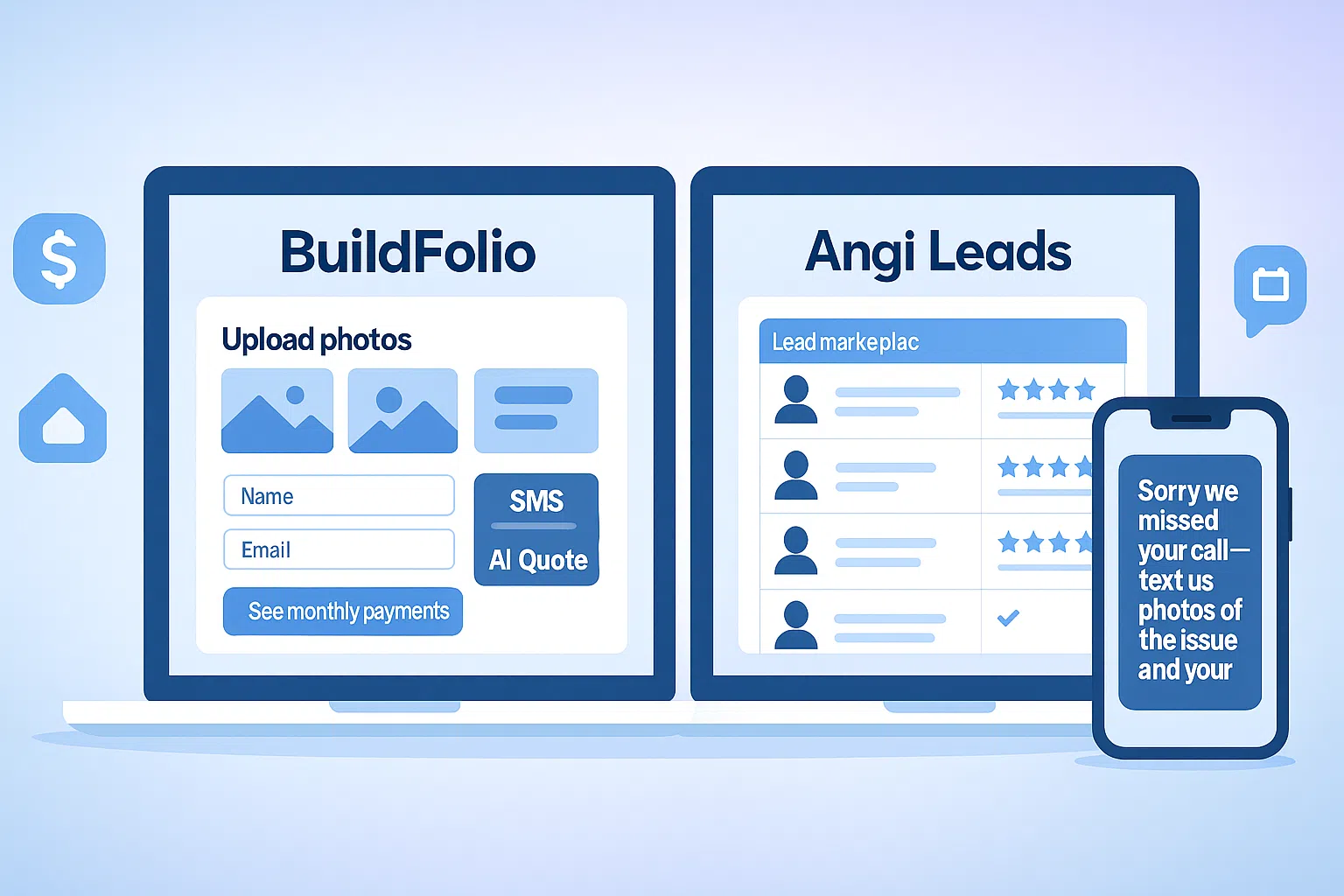
Purpose
Angi: Customer connections
BuildFolio: Your own request workflow
Customer choice
A customer can contact other contractors after submitting your website form.
Costs to verify
Check actual account charges, traffic costs and response labor.
Next action
Confirm scope, review an estimate, reply and record the outcome.
Compare requests, charges and work you still do
Read this as a workflow checklist. Unknown or account-dependent features are not scored as absent.
| Decision | BuildFolio | Angi Leads |
|---|---|---|
| Request origin | Your site or request link still needs visitors and active account/widget configuration. | Check which service, tasks and locations your Angi account covers. A connection is not a booked job. |
| Customer choice | A website form does not prevent the customer from contacting other contractors. | No exclusive territory, customer commitment or particular competitor count is established for your account here. |
| Intake and plan limits | Free includes up to 3 estimates per month and 50 photo uploads per month. Check actual account access and configuration. | Confirm the project details and contact information available to you; do not assume tools are present or absent from this table. |
| Financing and payment | A linked financing reference is not an offer, approval, payment receipt or proof of funding. Verify the actual provider and terms separately. | Financing and payment eligibility are not established by this comparison. Check your specific service and agreement. |
| Follow-up | Copy-paste templates your team sends. Your team still handles contact and SMS follow-up; a template does not send itself. | Check your current communication tools. No blanket absence of messaging or follow-up features is claimed. |
| Estimate review | Review AI estimate guidance; verify scope, quantities, measurements, unit prices and exclusions yourself. | Your team remains responsible for the estimate. This page does not qualify a particular Angi account’s estimating features. |
| CRM and records | Treat the systems as separate workflows. No connector or automatic data transfer is qualified here. | Check your account’s data/export rules and the customer’s permission before copying information. |
| Cost review | Free has limits; a software account does not supply free customers. Compare actual plan, traffic and response costs. | Angi help describes variable task/location/demand lead fees, automatic leads and optional Opportunities. Verify the charge trigger, budget treatment and subscription terms for your account. |
Official reference reviewed October 19, 2026: Angi’s lead and Opportunity FAQ. Its public descriptions do not establish your individual quote, eligibility, coverage or contract. Read your current account terms before spending.
Before paying for customer contacts
- Identify the service. Read the actual agreement and account settings. Automatic leads and optional Opportunities can have different charge and budget treatment.
- Check the charge. Ask what starts a charge, what is outside a budget, and what happens to existing charges when you pause or cancel. No particular credit or refund is promised.
- Check the work. Confirm service area, requested tasks and your capacity. A subscription or lead fee does not guarantee a filled schedule.
Use your own charge and outcome records when deciding whether a channel fits your business. This guide does not prescribe a budget or predict returns.
Work a request through your own process
- Confirm the project. Ask about work requested, location, timing and site conditions before pricing.
- Review the estimate. Verify quantities, measurements, materials, labor, unit prices and exclusions. A photo or draft is not a verified roof measurement.
- Choose the reply. Your team sends the message with the appropriate permission and records what the customer actually said.
- Check the saved state. Confirm the actual request, estimate, job or invoice record. This page adds no storage, transfer, scheduling or payment mechanism.
Website visitors, referrals and customer relationships still require your own work. These Free account links do not purchase a supply of customers.
How to compare requests and real costs in 3 steps
- Record the source and charge. Note the request date, channel, project and actual fees. Review the lead capture widget configuration and separate financing reference; a linked guide does not establish access or eligibility.
- Review scope and reply yourself. Verify measurements, quantities, site conditions and prices. Use copy-paste SMS templates only as text your team chooses to send with the appropriate permission. Record the reply manually.
- Reconcile outcomes and costs. Keep requests, estimates, booked jobs and paid invoices separate. Cost per paid job = channel spend divided by paid jobs. Include lead charges, website/advertising costs and response labor; record credits separately. With zero paid jobs, report spend and zero outcomes rather than a finite cost per job.
This is a manual comparison task, not built-in attribution or a recommendation to cancel a service. No integration, spending reduction or paid-job result is promised.
FAQ: BuildFolio vs Angi Leads
Is BuildFolio an Angi Leads replacement?
They address different needs. These Free account links support your own request workflow; they do not buy customer leads. You still need your own visitors, referrals or advertising. No number of inquiries, exclusive customers or paid jobs is guaranteed.
Can I use BuildFolio and Angi Leads together?
They can be separate channels in your process. An Angi contact does not automatically appear in BuildFolio. Confirm permission and account rules before copying contact information, then record estimates and paid outcomes separately. No connector, compatibility with a named CRM or automated transfer is qualified here.
Will BuildFolio help with SEO?
This comparison establishes no ranking, traffic, conversion or ROI result. A software account is not an SEO service. Use actual acquisition costs and paid outcomes when evaluating your process; a request or sent estimate does not prove a paid job.
What should I check about Free and a Pro trial?
Free account creation requires no credit card. Free includes up to 3 estimates per month and 50 photo uploads per month. A separate Pro trial requires a card; check current billing and renewal terms before choosing it. This comparison does not establish universal AI trade coverage, financing eligibility or an included competitor feature set.
Keep request software and customer acquisition separate.
Start Free for your own workflow. Review usage limits and current terms before choosing paid services. Your team remains responsible for estimates, communication and checking actual outcomes.